Get started
On this page
Apache Spark
What is Apache Spark?
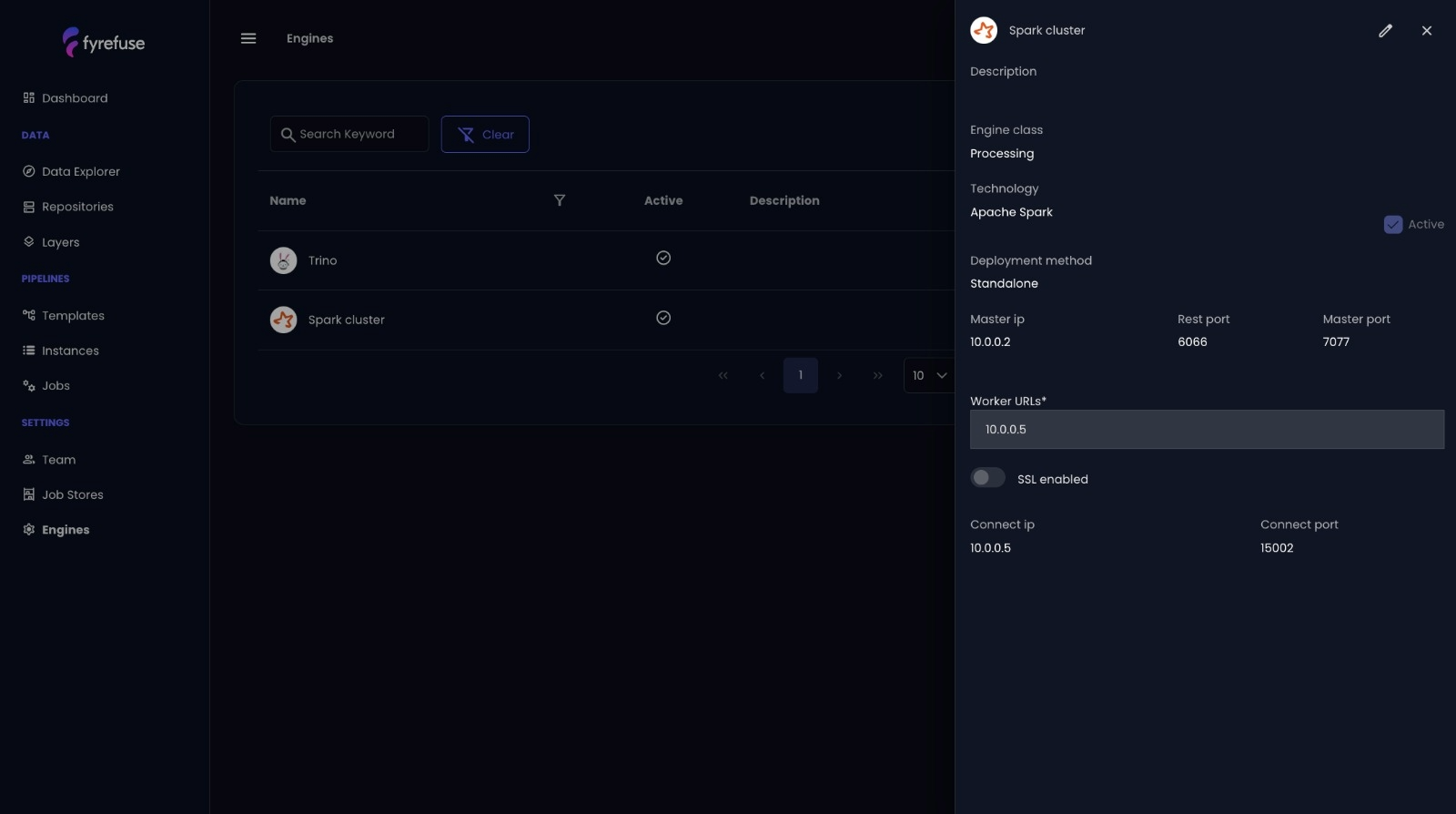
Apache Spark is a unified, open-source analytics engine designed for distributed data processing. Known for its in-memory computing and resilient architecture, Spark enables scalable execution of batch, streaming, machine learning, and SQL workloads. It’s the backbone for high-performance data handling in Fyrefuse.
Core Features of Spark
- Resilient Distributed Dataset (RDD): Spark’s fundamental abstraction enabling fault-tolerant, parallel operations.
- In-Memory Processing: Significantly faster performance by reducing disk I/O, especially beneficial for iterative algorithms.
- Unified Processing Model: Run SQL queries, build ML models, and process real-time streams within a single framework.
Architecture Overview
Spark uses a master-slave architecture with:
- Driver: The control unit that transforms code into tasks, coordinates execution, and communicates with the cluster manager.
- Executors: Worker processes running on nodes to perform tasks in parallel and cache intermediate data.
Fyrefuse Integration with Spark
Fyrefuse leverages Apache Spark as its core processing engine to power scalable pipelines and analytical workflows. Here’s how:
- DataFrame & Dataset APIs: Interact with structured data using SQL-like syntax with strong optimizations.
- Batch + Real-Time Processing: Spark Streaming handles near real-time data; Spark Core supports batch jobs—both fully integrated.
- Spark SQL: Enables complex queries across structured and semi-structured data, boosting Fyrefuse’s analytics capabilities.
- MLlib Integration: Train and deploy machine learning models directly within the Fyrefuse interface.
Key Benefits for Users
By embedding Apache Spark, Fyrefuse delivers a robust and scalable processing engine that adapts effortlessly to a variety of environments and use cases. Spark empowers Fyrefuse users to execute high-performance data workflows with flexibility and resilience.
- Scalability: Easily adapts to Kubernetes, YARN, or standalone clusters, allowing dynamic resource allocation as data demands grow.
- Storage Compatibility: Integrates seamlessly with widely used storage systems like HDFS, Amazon S3, and Apache Cassandra, ensuring full compatibility across diverse data architectures.
- Multi-Language Support: Enables development in Python, Scala, Java, or R—giving users the freedom to implement both complex logic and lightweight transformations in the language of their choice.
- In-Memory Performance: Leverages Spark’s in-memory execution model to minimize latency, making it ideal for both real-time analytics and high-volume batch processing.
- Resilience: Built-in fault tolerance allows data processing to continue smoothly even in the event of system or task failures, increasing reliability for mission-critical operations.
This combination of flexibility, speed, and fault tolerance makes Spark a cornerstone of Fyrefuse’s ability to handle modern, scalable data pipelines.
Quick Start
No manual configuration needed. Spark is pre-integrated into Fyrefuse and accessible through the visual pipeline designer or via code-based transformations using custom jobs and UDFs.
Trino
What is Trino?
Trino is an open-source, distributed SQL query engine designed for running fast analytics on large datasets. Unlike traditional databases, Trino enables federated querying—allowing users to access and analyze data across multiple sources without moving or transforming it. Whether you're working with data lakes, relational databases, or NoSQL systems, Trino provides a unified SQL interface for seamless exploration.
Why Trino?
- Federated Querying – Run queries across diverse data sources, even with different underlying technologies, as if they were a single database.
- Performance & Scalability – Trino’s distributed architecture is designed to efficiently process large datasets, handling petabytes of data across hundreds of nodes with low-latency query execution. This scalability and parallel processing ensure fast query performance even on complex and resource-intensive workloads.
- ANSI SQL Compliance – Supports standard SQL, making it compatible with various BI and ETL tools.
- Extensibility – Trino offers a wide range of connectors, enabling seamless integration with most data sources, including various databases, data lakes, and cloud storage systems, ensuring maximum flexibility for your analytics needs.
How Fyrefuse Uses Trino?
Fyrefuse integrates Trino as its core SQL engine, allowing users to query both external data sources and Fyrefuse's internal storage layer. This integration removes silos, enabling unified data exploration and analysis. Whether users need to join datasets from different locations or perform complex aggregations, Trino ensures that queries execute with speed and efficiency.
With Trino in Fyrefuse, you get:
- Unified Data Access – Query multiple sources without data duplication.
- High-Speed Execution – Leverage distributed processing for faster analytics.
- Seamless Integration – Use Trino’s SQL engine without additional setup.
Quick Start
Trino is pre-configured within Fyrefuse, making it easy to start querying right away. To begin, navigate to the SQL workspace, select a data source, and start exploring your data using standard SQL. You’ll be able to query both external data sources and your internal storage layer seamlessly.
For detailed examples on writing and executing queries, as well as advanced tips for performance optimization, refer to the User Guide and Data Exploration sections.
Gitlab
What is Gitlab?
GitLab is a comprehensive DevOps platform that provides tools for source code management, continuous integration/continuous deployment (CI/CD), and collaborative project management. It enables development teams to streamline their workflow, improve code quality, and accelerate delivery by providing an integrated suite of tools within a single platform.
Why Gitlab?
- Complete DevOps Platform – From source code management to CI/CD, GitLab covers the entire pipeline development lifecycle.
- Collaboration & Version Control – GitLab enables real-time collaboration with powerful version control features.
- Continuous Integration & Deployment – Automates testing, building, anddeployment to ensure rapid and reliable delivery.
- Security & Compliance – Built-in tools for code quality checks, vulnerability management, and compliance auditing.
How Fyrefuse Uses Gitlab?
In Fyrefuse, GitLab versioning plays a key role in integrating custom UDFs (User-Defined Functions) and Spark jobs into the pipeline designer. This enables users to extend the capabilities of their pipelines by incorporating advanced transformations where traditional SQL syntax falls short. By leveraging custom Python-based logic, users can seamlessly integrate more complex data processing tasks, enhancing the flexibility and power of their data pipelines.
With GitLab in Fyrefuse, you get:
- Streamlined DevOps Integration – Automate the deployment and orchestration of data pipeline jobs alongside your CI/CD processes.
- Version Control for UDFs & Custom Code – Utilize GitLab’s version control features to track and manage changes to UDFs and custom scripts that are imported as jobs in data pipelines.
Quick Start
To begin integrating GitLab with Fyrefuse, you'll need to connect your GitLab account. Follow these steps to set up the integration:
- Generate a GitLab Personal Access Token - Head to your GitLab account settings and create a personal access token with the necessary permissions (e.g., api, read_user, write_repository).
- Connect GitLab to Fyrefuse - In the Fyrefuse dashboard, navigate to the Job stores menù. Paste your generated GitLab personal access token and authenticate the connection
- Select Your Repository - Once connected, choose the GitLab repository where your custom UDFs, Spark jobs, or other relevant code are stored. This allows Fyrefuse to track and deploy these resources as part of your pipeline configuration.
- Start Using GitLab Resources - After the connection is set up, you can seamlessly incorporate GitLab-managed custom code into your pipelines.